
Home > Contact & Support > Support Information for JVC Audio Products > Bluetooth® Compatibility Information > UX-G980V NX-G5 NX-G9

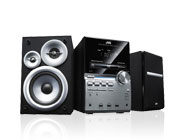
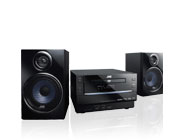
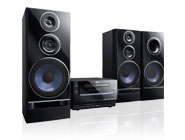
| Manufacturer | Model | A2DP*1(Music) | AVRCP*2 Control | |
|---|---|---|---|---|
| Connect to Headset | Connect to Mobile Phone | |||
| BELKIN | F8T013uk1 |  |
|
|
| D-Link | DBT-122 | |
|
|
| Canon | BU-30 | |
|
|
| Billionton | GUBTCR42I-NT | |
|
|
: Usable
— : Function unavailable
| Manufacturer | Model | A2DP*1(Music) | AVRCP*2 Control | |
|---|---|---|---|---|
| Unit to Mobile Phone | Mobile Phone to Unit | |||
| Nokia | 5200 | |
|
|
| Nokia | 5700 Xpress Music | |
|
|
| Nokia | 6120 classic | |
|
|
| Nokia | 6300 | |
|
|
| Nokia | N73 | |
|
|
| Sony ericsson | K530i | |
|
|
| Sony ericsson | W580i | |
|
|
| Sony ericsson | K610i | |
|
|
| Sony ericsson | K618i | |
|
|
| Sony ericsson | K660 | |
|
|
| Sony ericsson | K770i | |
|
|
| Sony ericsson | K800i | |
|
|
| LG | KE770 | |
— | |
| LG | KU990 | |
|
|
| SAMSUNG | GH-F330 | |
|
|
| SAMSUNG | Z170 | |
|
|
| Motorola | W510 | |
|
|
| Motorola | L72 | |
|
|
| Motorola | RAZR V3xx | |
|
|
| Motorola | MAXX V6 | |
|
|
: Usable
— : Function unavailable
| Manufacturer | Model | A2DP*1(Music) | AVRCP*2 Control | |
|---|---|---|---|---|
| Unit to PDA | PDA to Unit | |||
| HP | iPAQ Business | |
|
|
| HTC | Polaris | |
|
|
: Usable
— : Function unavailable
| Manufacturer | Model | A2DP*1(Music) | AVRCP*2 Control | |
|---|---|---|---|---|
| Unit to Headset | Headset to Unit | |||
| Sony ericsson | HBH-DS200 | |
|
|
| Sony ericsson | HBH-DS205 | |
|
|
| Sony ericsson | HBH-DS970 | |
|
|
| i-TECH | itech RADIO | |
|
|
| i-TECH | itech clip R35 | |
|
|
| Maxell | HP-B10.IE | |
|
|
| Mobilecast | MPX2000 | |
— | — |
| Mobilecast | MPX3000 | |
— | — |
| Mobilecast | MPX3000R | |
|
|
| Sony | DR-BT30QA | |
|
|
: Usable
— : Function unavailable
*1: Music Streaming
*2: Remote Control
The following is a list of things you should know including various potential issues when using Bluetooth functions. Be sure to read it.
The Bluetooth word mark and logos are registered trademarks owned by Bluetooth SIG, Inc. and any use of such marks by JVCKENWOOD Corporation (JVC) is under license. Other trademarks and trade names are those of their respective owners.